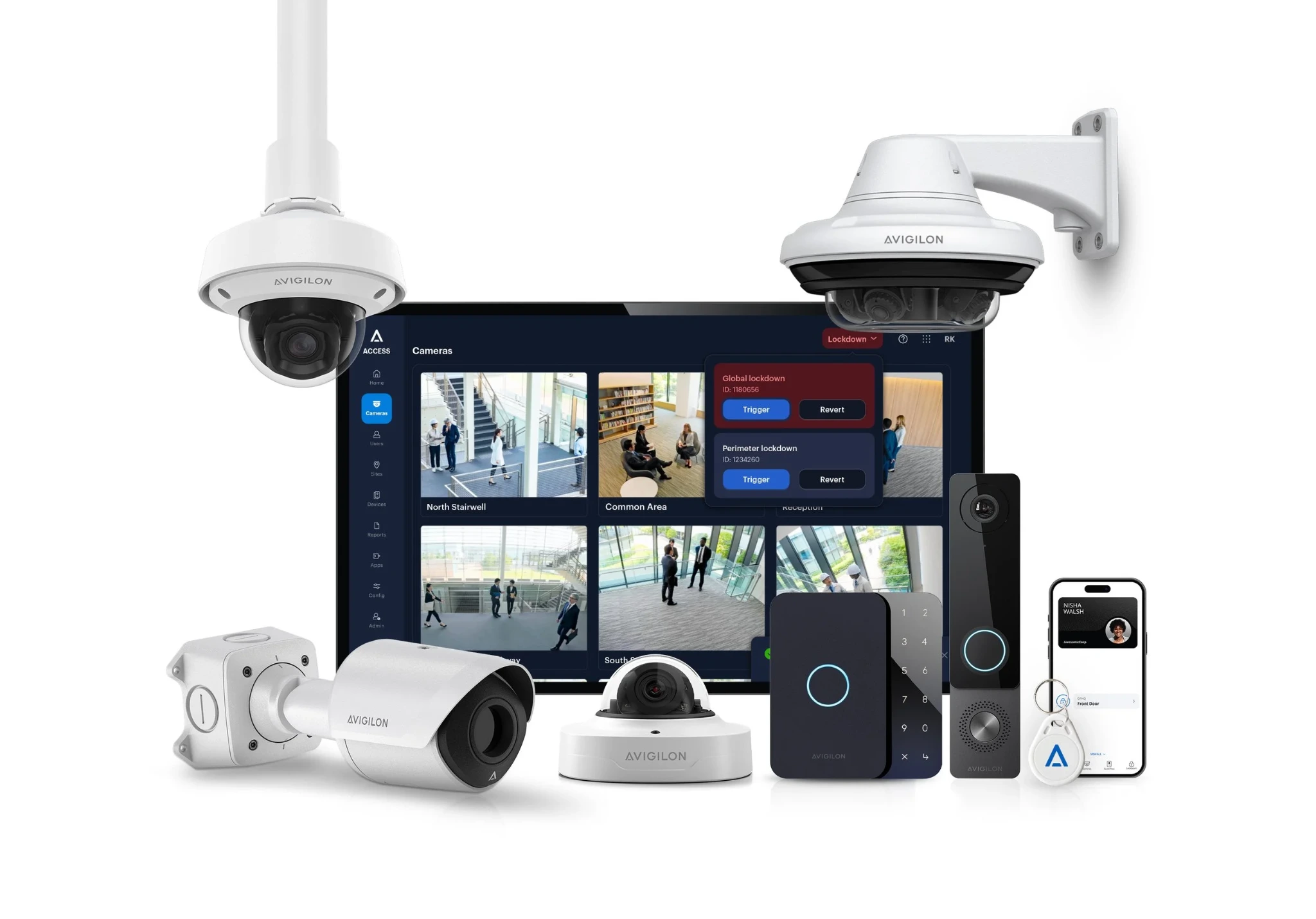
Before you buy Avigilon cameras or access control, decide what your team needs to see, control and maintain. A warehouse loading dock, a government office and a multi-site business can need very different systems—even when they choose the same manufacturer.
This guide helps DFW facilities managers, IT teams and business owners prepare an installation scope that produces a useful quote. Briva Alarm is a certified Avigilon dealer and Motorola Solutions partner providing Avigilon installation and support in DFW, with a focus on large camera and access-control deployments.
Start with the operating model: Unity or Alta?
Avigilon Unity is an on-premise video and access-control platform with optional cloud-management capabilities. It can bring locally hosted video and door events into a coordinated workflow. Consider it when your organization wants to evaluate local infrastructure, storage and operational control.
Avigilon Alta is Avigilon’s cloud-native video and access-control offering. Consider it when remote administration and managing distributed locations are priorities. Your installer still needs to assess connectivity, hardware compatibility, retention requirements and the selected subscription.
Neither product name settles the design. Ask for a demonstration using the tasks your staff actually perform: finding a loading-dock incident, removing a former employee’s access, reviewing a forced-door event, and exporting footage for an investigation. Confirm the exact hardware, software edition, licensing and integrations in the proposal. See the manufacturer’s current Unity overview and Alta overview for product information.
Write down six requirements before requesting a quote
- What must each camera show? Mark entrances, vehicle approaches, receiving areas, aisles and restricted rooms on a floor plan. Distinguish general activity coverage from the detail needed at an identification point. Ask your installer to explain the lens, mounting position and lighting assumptions for each view.
- Which doors need which rules? List doors, users, shifts, visitor routes and restricted areas. Identify who may change schedules and who reviews events. Existing locks, door condition, power and cabling belong in the survey—not as surprises after equipment arrives.
- How long do you need recordings? Define a retention target and the reason behind it. Ask what recording settings and usable storage capacity the estimate assumes. Have the installer explain how adding cameras or changing image settings affects the design.
- Who owns the network and ongoing administration? Include IT early. Assign responsibility for network preparation, user permissions, software updates, remote access and account ownership. Document the expected behavior during an internet or power interruption for the proposed configuration.
- What existing equipment can you keep? Provide camera model numbers, recorder details, software versions and door-controller information. Reuse should follow a compatibility review and condition check. A camera producing a picture does not establish that every requested feature will work.
- How will you accept the finished system? Agree on a walkthrough, representative day and night camera views, door tests, footage export, administrator training and a handover package. Define what must be demonstrated before the project is considered complete.
What changes between a warehouse and an office installation?
For a warehouse, start the survey with receiving and dispatch workflows. Discuss rack layout, ceiling height, lift access, changing daylight at open dock doors, exterior approaches and areas where inventory changes hands. These are planning considerations, not a recommendation to place the same camera at every location.
For a Frisco office relocation, bring the move date, floor plan and tenant-improvement schedule. Coordinate door hardware, cabling, network readiness and employee access before the first working day. An Avigilon installer serving Frisco can help turn those dependencies into a scoped project.
For McKinney warehouses or larger campuses, separate the initial deployment from future phases. Identify which buildings, doors and camera views must be ready first, and ask what capacity is reserved for expansion. Government and enterprise buyers should also provide their own procurement, data-handling and technical requirements for review; a brand name alone does not establish compliance.
Compare the full installation cost, not just the camera price
A useful Avigilon installation quote separates equipment, software and subscriptions, recording or server infrastructure, network work, cabling, door hardware, labor, configuration, training and support. Ask which items are included, which are assumptions and which depend on the site survey.
Then compare the cost across your organization’s planning period. Request the renewal terms, responsibility for updates, warranty process and service arrangements in writing. There is no reliable single “price per camera” that covers every warehouse, office or access-control project.
What should happen during installation?
A practical project sequence is a site survey, documented design, equipment and licensing review, coordination with your IT and facilities teams, installation, commissioning and staff training. Agree on work areas and downtime before installation begins. Door work needs coordination with the appropriate trades and applicable building requirements.
At handover, request an equipment inventory, camera and door naming convention, relevant drawings, administrator ownership, renewal information and a service contact. Have the people who will use the system demonstrate a footage search and an access change themselves. That exercise can reveal training gaps while the installer is still on site.
Already have Avigilon? Prepare for a service visit
For Avigilon camera repair or access-control service in DFW, collect the affected device names, model numbers, software version, when the issue began and whether it followed a network, power or building change. Describe the symptom: missing recordings, an offline camera, inconsistent door operation or an administrator-access problem.
Keep credentials and sensitive security details out of a public contact form. Briva Alarm can review your existing system and discuss troubleshooting, upgrades or replacement options after understanding the equipment and issue.
Plan your Avigilon project in DFW and North Texas
Briva Alarm installs and supports commercial Avigilon camera and access-control systems for warehouses, government facilities and enterprise customers. We serve Dallas–Fort Worth and North Texas, including McKinney, Frisco, Plano, Allen, Prosper, Celina, Melissa, Anna, Princeton, The Colony, Little Elm, Carrollton, Lewisville, Denton, Richardson and surrounding communities.
Request an Avigilon installation or service consultation, or call 214-838-0772. Share your city, property type, approximate camera and door counts, existing equipment and target date so we can start with the right questions.
By Briva Alarm · Texas security business license B30904501. Product information checked October 24, 2026; final equipment, features and licensing depend on the approved design.